SPEEDlabel and remake reporting: keep the replacement tied to the original piece
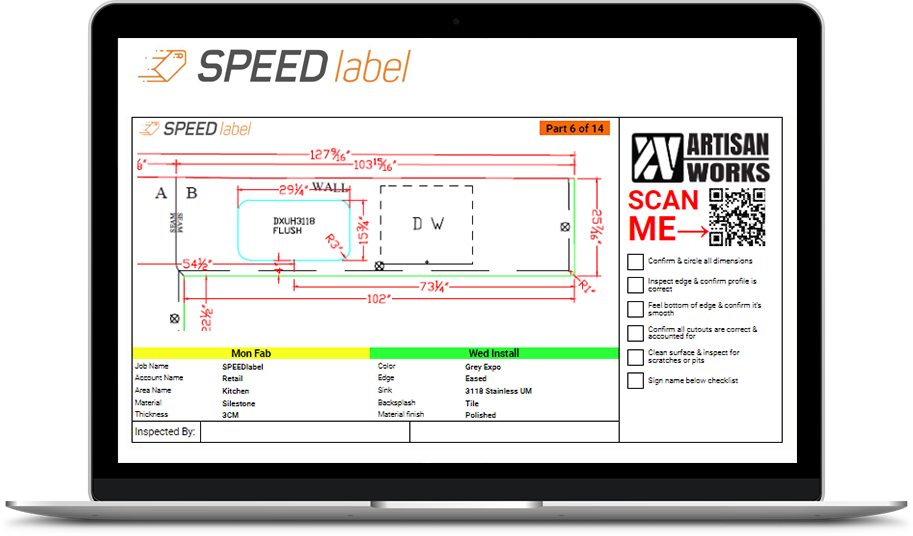
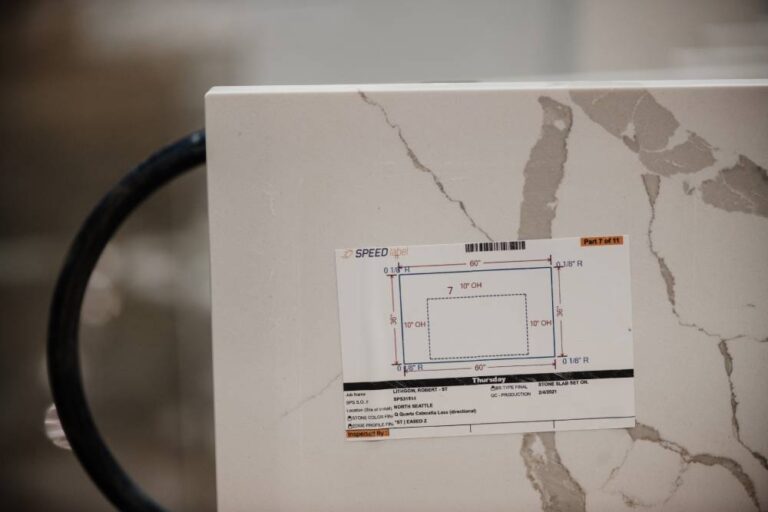
Moraware’s July 2020 article about Geoffrey Gran and The Countertop Factory connected the development of SPEEDlabel with attention to rework and remakes.
Moraware’s July 2020 article about Geoffrey Gran and The Countertop Factory connected the development of SPEEDlabel with attention to rework and remakes.
Moraware’s July 2020 article about Geoffrey Gran and The Countertop Factory connected the development of SPEEDlabel with attention to rework and remakes. It also discussed planned tracking functionality. A historical development account should not be read as a current release specification.
A replacement is a new production event
When a damaged part is remade, the job number alone may not explain what happened. A useful shop record ties the original piece, replacement piece and reason for the change together. It should also make clear which version is approved to leave the building.
Consider an example: a backsplash is damaged after the rest of the kitchen is complete. The replacement needs material and production attention, while the installation promise may remain unchanged. If the team only marks the job complete a second time, the extra work can disappear from its review.
Count a defined event
Choose a consistent definition before reporting a remake rate. Decide what belongs in the numerator and denominator, and separate internal corrections from customer changes. Track the records needed to explain an incident rather than collecting a percentage that nobody can reconcile.
For a software demonstration, ask to follow one replacement through identification, production and dispatch. Check the supplied configuration rather than assuming it implements the exact process described here. The benefit of the exercise is an understandable history of the part and the work it caused, not an invented claim about savings.
Browse the SPEEDlabel coverage file.
SlabOS comparison: label identity and the next handoff
SlabOS documents QR links to slab records and Zebra ZPL printing through Browser Print. Read the vendor documentation.
Compare the label’s record identity, reprint behavior and destination against the labeling workflow described above. A slab label and a fabricated-piece label serve different records: demonstrate the relationship instead of assuming interchangeability or a supported integration.
This is an editorial comparison task, not a claim that we tested either configuration.
Software options to evaluate
Use the same practice job and acceptance criteria for each proposed configuration. These brief descriptions reflect vendor documentation, not independent test results.
- ActionFlow — fabrication workflow packages.
- Horus — slab tracking and layout tools.
- Moraware — quoting, scheduling and inventory products.
- SlabOS — a platform spanning drawing, quoting, inventory, nesting, scheduling and field work. Platform documentation.
- SlabWise — quoting, DXF and fabrication workflows.
- StoneAPP — fabrication business management.
- Stone Profit Systems — fabrication ERP and material records.
Confirm current modules, versions, data exports and implementation scope directly. Open the software comparison register.
Original editorial analysis of the linked public sources. No firsthand interview, event attendance or independent product test is claimed. Historical source dates describe the source; the publication date above records this article.
Editorial approach & corrections →